


Bloomberg
2.727.00 Reviews
App Specs
- Version
- 3.100.2
- Updated On
- License
- Free
- Downloads
- 1,000,000+
- Developer
- Bloomberg LP CM
- Categories
- News & Magazines
- Platform
- Android, iOS
Screenshots

 Analysis by AppCompare
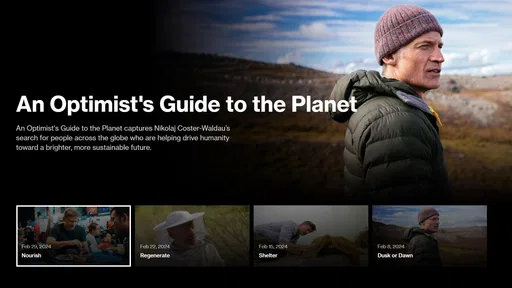
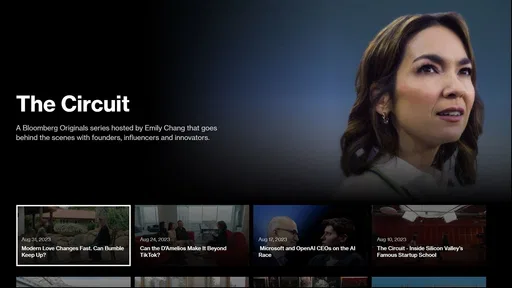
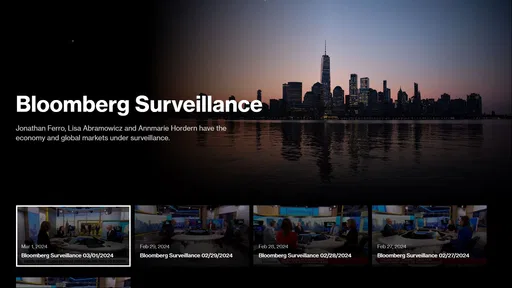
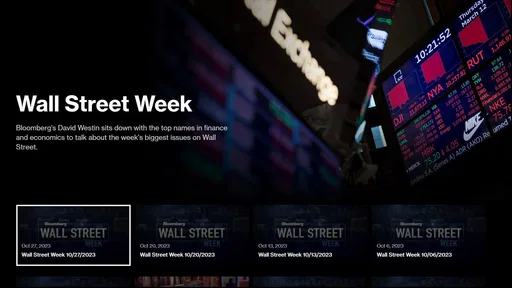
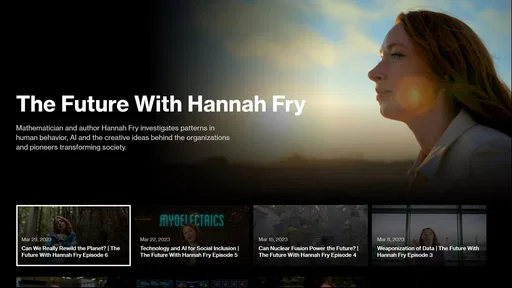
I think Bloomberg makes the most sense when you treat it as a way to bring financial video into your news routine, rather than as a complete investing toolkit. The app is free, and Bloomberg LP CM puts Bloomberg TV and Bloomberg Originals at the center of its appeal. That focus can be useful when I want to hear a discussion or watch a report instead of trying to make sense of a fast-moving story from headlines alone. It is a News & Magazines app, but its strongest distinction is the mix of news and on-demand viewing.
Why video changes the news routine
Reading is usually the quickest way to scan a few headlines, but it can leave context scattered across several stories. A TV segment or an Originals video gives me another way to follow a subject: I can listen to people explain what is happening while seeing the topic develop as a conversation or report. That does not make video automatically more reliable or more complete than written coverage, but it can make a complicated issue easier to approach when I have time to pay attention.
I would use the app when I want a more focused news break, not as something that needs to stay open all day. For example, I might choose a video during lunch, watch long enough to understand the central issue, then return to work with a clearer idea of what to read next. This is a different habit from refreshing a feed every few minutes, and it suits people who prefer to hear an explanation rather than skim a stack of short updates.
How I would fit it into an ordinary day
Imagine checking the news before leaving home and seeing a topic you want to understand better. Instead of opening several sources immediately, I could use Bloomberg TV or an Originals program as the first stop, then decide whether the issue deserves more reading. Later, if I have only a moment between errands, a quick look at the app may be more practical than starting a video I cannot finish. The useful choice is matching the format to the time I actually have.
That distinction matters because video asks for more attention than a headline. I would save viewing for a commute only if I could do so safely and without needing to watch the screen; otherwise, a quiet break is a better fit. At home, I might use it to follow a developing financial story while taking notes on questions I want to check in written coverage. That simple sequence helps me avoid treating one segment as the whole picture.
Where it sits beside other news apps
Compared with a general news aggregator, Bloomberg has a more defined financial identity and a recognizable video component. An aggregator is often better when I want headlines across unrelated subjects in one glance. A newspaper app may be a better choice when I am looking for a particular publication’s reporting and long-form reading experience. Bloomberg’s advantage is narrower: it gives people interested in business and markets a direct route to broadcast-style coverage and Bloomberg Originals.
That focus is also a limit. If I mainly want local news, culture, sports, or a broad mix of everyday topics, I would not rely on Bloomberg as my only news source. Nor would I expect watching a program to replace checking details in a written article or consulting a qualified professional before making a financial decision. The app can help me understand what people are discussing; it should not be mistaken for personal financial advice.
Worth Reading Before You Choose

Flipboard Shows What News Apps Must Do Beyond the Feed

Switching to Android Auto Means Rethinking Your Driving Routine

Google Calendar Makes a Crowded Week Easier to Manage

Ludo King Makes the Most of the Minutes Between Plans

Baby Panda World Brings Quick Play to Modern Phones, but Its Game Library Feels Busy

ESPN’s Live Game View Makes Following Close Games Easier
Who is likely to get the most from it
I would recommend trying it if you already follow markets or business news and often prefer listening or watching to reading on a phone. It can also suit a student or curious reader who wants a guided way into financial subjects, provided they are comfortable with video as a central format. Bloomberg is free, has an Everyone content rating, and is developed by Bloomberg LP CM; those basics make it easy to try without committing to a purchase.
On the other hand, people who want every story in a quick text summary, have little time for video, or are looking for a personalized investment plan may be better served elsewhere. The app is not a substitute for a portfolio platform, and I would not choose it solely because I need to place trades or receive individualized guidance. Its value depends on wanting Bloomberg’s particular kind of news coverage, not on expecting one app to do every financial task.
What to know before settling in
The app has an average rating of 2.6 from around 2,500 ratings, alongside 27 written reviews, so I would approach it with realistic expectations rather than assume the experience suits everyone. It has over one million installs, but popularity alone does not tell me whether its video-first approach matches my habits. I would try a few sessions and judge whether the programs are easy to fit into my day and whether I return to them for context.
Bloomberg was released in October 2014, and its current version is 3.100.2; Android users need version 5.0 or later. For someone who is unsure whether video is worth making part of a news routine, a practical test is to use it for one specific question rather than browse without a purpose. Pick a market or business story you have already noticed, watch a relevant segment if available, and then see whether you have a clearer idea of what you still need to learn. That keeps the app’s role modest and useful.
When it comes to staying updated with the latest financial news and analysis, Bloomberg is a name that often comes up. As someone who's been navigating the maze of financial apps for a while now, I decided to give the Bloomberg app a whirl on my phone. Spoiler alert: it’s more than just a news app, it’s like having a financial advisor right in your pocket!
First Impressions
From the moment I downloaded the app, I was struck by its sleek and user-friendly interface. The home screen is well-organized, presenting a clear layout that’s easy to navigate. I didn’t feel overwhelmed by tabs and options, which is a relief considering how dense financial data can get. The design is clean and professional, with a color scheme that’s pleasing to the eyes.
Features That Stand Out
One of the first things I noticed is the personalized news feed. It’s like the app gets smarter the more you use it. Initially, I was bombarded with broad financial news, but as I interacted, it started tailoring content to my interests. It’s amazing how it picks up on your preferences and delivers the news that matters to you.
And then there’s the real-time market data. If you’re someone who loves to keep track of stocks, this feature is going to be your best friend. The app provides live updates on indices and commodities, so you’re always in the loop. I found myself checking it throughout the day to stay on top of market movements.
Another feature worth mentioning is the video content. Bloomberg has a treasure trove of video analysis and interviews with industry leaders. It’s like watching a mini TV segment but on your phone. I found the insights from these videos to be incredibly valuable, especially for understanding complex market trends.
What’s the Catch?
While the app is impressive, it’s not without its downsides. Some of the premium content is locked behind a paywall. If you’re a casual user, this might not be a big deal. But for those who crave in-depth analysis, the subscription might be something to consider. That said, the free content is still quite robust and informative.
The notifications can also get a bit much. I appreciate being kept in the loop, but at times, the alerts felt a tad intrusive. Thankfully, the app allows you to customize these, so after a bit of tweaking, I was able to get it just right for my needs.
Using Bloomberg for Investment Strategies
One of the unexpected perks I discovered was how the app aids in formulating investment strategies. With its rich analytics and expert opinions, you get a well-rounded view of the market landscape. I found myself using the app to make more informed decisions about my portfolio.
The app’s analysis tools are comprehensive, providing everything from historical data to economic forecasts. Whether you’re a seasoned investor or a newbie, these tools can be incredibly useful. I enjoyed experimenting with different filters and seeing how different variables affect stock prices.
Final Thoughts
All in all, the Bloomberg app is a fantastic resource for anyone interested in finance. It’s not just about consuming news; it’s about engaging with it. The app empowers you with the tools and information you need to navigate the financial world with confidence.
Despite some minor hiccups with notifications and the paywall, the app’s positives far outweigh the negatives. For anyone serious about staying informed and making smart investment choices, this app is definitely worth a download. It’s like holding the financial world in the palm of your hand—and trust me, that feels pretty powerful.
Pros
- Comprehensive financial news coverage.
- Real-time market data and alerts.
- User-friendly interface for easy navigation.
- Customizable watchlists and portfolios.
- Reliable and accurate analysis tools.
Cons
- Subscription required for full access.
- Can be overwhelming for beginners.
- Occasional app crashes reported.
- Limited offline functionality.
- Some features locked behind paywall.
FAQs for Bloomberg
What is the Bloomberg app used for?
The Bloomberg app is designed to provide users with comprehensive access to financial news, market data, and analysis. It offers real-time data on stocks, commodities, currencies, and bonds, along with personalized watchlists and alerts. Ideal for finance professionals and enthusiasts, the app keeps you updated on global market trends and economic developments.
Is the Bloomberg app free to download and use?
The Bloomberg app is free to download on both Android and iOS platforms. While the app offers some content at no cost, accessing premium features and in-depth articles often requires a subscription. Users can choose from different subscription plans tailored to their needs, ensuring access to exclusive insights and expert analyses.
How frequently is the information on the Bloomberg app updated?
The Bloomberg app provides real-time updates, ensuring users receive the latest information on market movements and financial news. The app continuously refreshes its content, offering minute-by-minute updates on global financial markets, ensuring users have the most current data for making informed decisions.
Can I customize the Bloomberg app to suit my interests?
Yes, the Bloomberg app allows for extensive customization. Users can create personalized watchlists to track specific stocks and financial instruments. Additionally, you can set alerts for price changes, breaking news, and top stories in sectors of interest. This customization ensures that you receive relevant information tailored to your financial interests.
What devices and operating systems are compatible with the Bloomberg app?
The Bloomberg app is compatible with both Android and iOS devices. It requires Android 5.0 and up or iOS 12.0 and later to function optimally. The app is designed to work seamlessly on smartphones and tablets, providing a consistent experience across different devices, ensuring you can stay informed on the go.


